

If you are handling land matters in Karnataka, you have probably seen the shorthand KLR 137 or searched for terms like KLR 137 login and KLR 137 service. These terms show up in both legal and practical contexts and can be confusing. This blog article cleans up the confusion, explains what Section 137 of the Karnataka Land Revenue Act covers, gives a clear, step-by-step mutation guide, and shows exactly how the KLR 137 login and related services are used to track and manage land records.
This guide is written in easy-to-explain language, organized for easy scanning, and focused on practical steps you can take right away. Where the law or process matters, I note it. Where online tools help, I explain how to use them.
Quick Summary
- KLR 137 often refers to Section 137 of the Karnataka Land Revenue Act or to a portal/service label used for land-record functions.
- Section 137 deals with fixing village boundaries, survey numbers, and settling disputes about boundaries.
- Mutation is the administrative process to update the Record of Rights or RTC after a transfer. Use the KLR 137 login and related services to track status and receive updates.
- Recent reforms are making mutation faster through automation, but disputes still follow formal procedures.
What does KLR 137 mean?
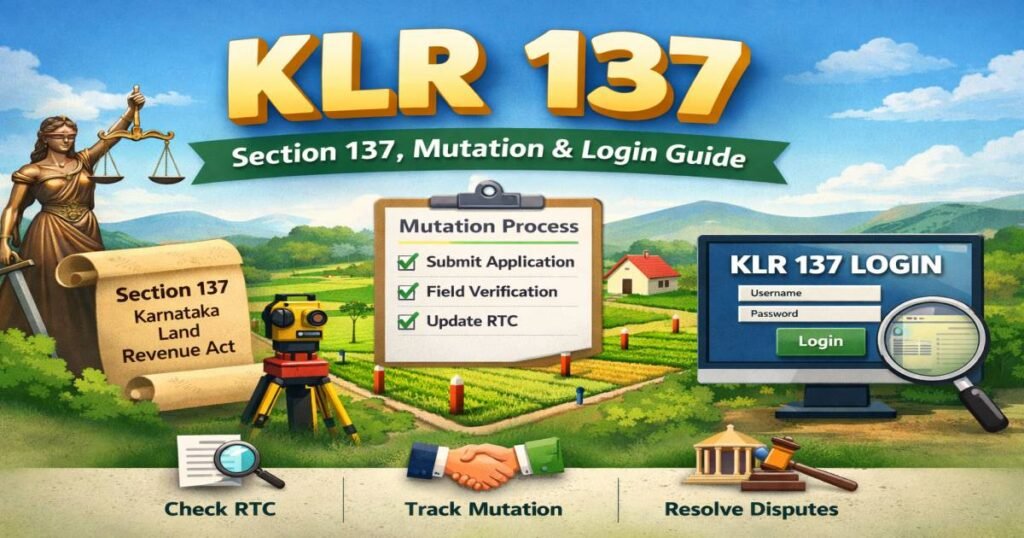
KLR 137 is used in two related ways.
- As a legal shorthand: people sometimes write KLR 137 to mean Karnataka Land Revenue Act, Section 137. That is a statutory reference used in dispute and survey contexts.
- As a portal or service label: on administrative guides and help pages, KLR 137 may be used to point users to a specific login menu, service code, or tracking flow for land record/case status. That usage is practical rather than strictly legal.
Knowing which meaning applies in your situation guides the next steps: legal steps for boundary disputes, administrative steps for mutations, and record updates.
Section 137 Understanding
Section 137 is part of the Karnataka Land Revenue Act. In plain words, it gives the State the power to:
- Fix boundaries of villages, survey numbers, and subdivisions.
- Direct survey officers or other appointed officers to determine disputes about boundaries or survey numbers.
If your issue is primarily a boundary dispute, Section 137 is often the statutory provision that will be used to resolve it. For most day-to-day transfers, however, you will be following mutation rules and administrative processes aimed at updating the Record of Rights.
When Section 137 Matters and When Mutation Matters
- Use Section 137 when the dispute is about the physical boundary, conflicting survey numbers, or when a formal survey is required to fix limits. That is a legal remedy and may involve survey officers and official notices.
- Use mutation when ownership has changed because of sale, gift, succession, partition, or court decree, and you only want the government record to reflect the new name or share. Mutation is administrative; it does not by itself create title, but it aligns revenue records with the new facts.
Knowing which procedure matches your need saves time and keeps you out of unnecessary legal steps.
What is Mutation and Why Does it Matter?
A mutation is the entry in the revenue records that shows who is recognized as the owner or rights holder for purposes of revenue, taxation, and administration. The Record of Rights is commonly referred to as RTC or Pahani in local parlance.
Why mutation matters
- It shows the revenue department’s recognition of a change.
- It is required for many transactions such as obtaining loans, updating municipal records, and transferring utility accounts.
- It helps avoid disputes when records and possession differ.
Important note: Mutation records support practical and administrative needs. The registered sale deed and related legal documents remain the primary proof of title in a court of law.
Complete, Step-By-Step Mutation Procedure
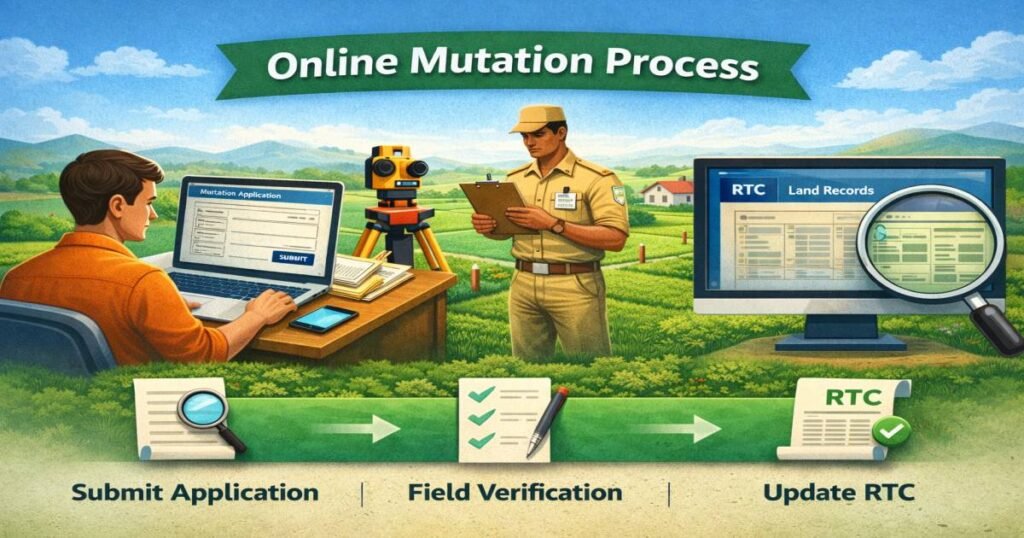
This is a practical, repeatable checklist you can use to get a mutation done.
Step 1: Verify basic property identifiers
Collect these clearly before you start.
- Survey number
- Village and hobli or ward
- Taluk or subdivision
- Extent (area) of the plot or holding
- Existing khata or RTC details, if available
Step 2: Gather the documents needed for your case
(See next section for case-by-case details.)
Step 3: Decide whether to apply online or in person
Many districts now provide online applications and tracking through the state land records portal. Use the online option where possible for speed and transparency.
Step 4: Submit the mutation application
- Online: use the portal’s mutation application form, upload scanned documents, and note the application reference number.
- Offline: submit at the local revenue office and obtain an acknowledgement slip with a reference number.
Step 5: Pay the fee, if applicable
Some mutations require a nominal fee. Keep the receipt.
Step 6: Field verification
A revenue official may inspect the land and verify documents. Be available to answer questions or provide originals for verification.
Step 7: Officer’s report and entry
If everything is in order, the officer will make the mutation entry and update the RTC. You will get a mutation number or extract.
Step 8: Collect the final mutation extract or print the updated RTC
Once the entry is made, obtain a printed extract or download the updated RTC copy for your records.
Documents You Will Need by Case Type
Below are the most common scenarios and typical document lists. Local offices may ask for additional items, so check before submission.
For sale
- Registered sale deed.
- Proof of payment of stamp duty and registration.
- Aadhaar or government ID of the buyer and seller.
- Property tax receipts or no-dues certificate if requested.
For inheritance or succession
- Death certificate of the deceased.
- Legal heir certificate, succession certificate, or court order.
- Aadhaar or other ID proofs of heirs.
- Will, if one exists and is recognized.
For gift
- Registered gift deed.
- Identity documents of the donor and the donee.
For partition
- Partition deed or family settlement document.
- IDs of all parties in the partition.
For court decree-based mutation
- Certified copy of the court order.
- Any supporting documents that the revenue office requests.
Always carry originals for verification and upload clear scanned copies when applying online.
How to KLR 137 Login and Use Track Status
Many guides and district-level help pages use the term KLR 137 login to refer to the secure login area or service code used to access case-specific land-record functions. In essence, the KLR 137 login is a practical passport to several functions: filing mutation requests, tracking status, viewing RTC, and sometimes downloading certified extracts.
Typical KLR 137 login flow
- Visit the state land records portal and choose the citizen login or KLR login section.
- Register or sign in using your phone number, email, or a portal-specific ID.
- Navigate to the mutation or service request menu and select the appropriate service code or form — in local help pages, this is sometimes called Service 137.
- Enter your application reference number, survey number, or RTC details to view the status.
- If a field officer has requested clarification, the portal often shows a status like submitted, under verification, field verification completed, returned for clarification, or completed.
Troubleshooting KLR 137 login
- If you do not receive an OTP, check that the mobile number registered is correct.
- Clear the browser cache and try a different browser if you see errors.
- Use the portal helpdesk or the local revenue office if login errors persist.
- Keep your application number handy for manual follow-up.
Using the KLR 137 login correctly saves time and avoids multiple office visits. The portal also stores a digital trail of your application and receipts.
What to Expect During Field Verification & Officer Scrutiny
Once you submit a mutation application, an official may:
- Visit the property to confirm possession and actual boundaries.
- Verify original documents against scanned copies.
- Consult old revenue maps or Mojini sketches to resolve discrepancies.
If the officer finds missing documents or mismatches, the application may be returned for clarification. If a boundary dispute appears, the case may be referred for formal survey work under procedures that include Section 137 remedies. Keep records of every interaction and the officer’s name and reference number.
Common Problems and Quick Fixes
Here are the most common issues people face and practical ways to fix them.
Problem: Application returned for clarification
Fix: Upload the exact documents requested, ensure file names and scans are legible, and submit promptly. Make a note of the officer’s comments.
Problem: Portal login or OTP failure
Fix: Confirm the mobile number and try resending OTP. Switch browser or clear cache. If the portal still fails, visit the local revenue office with your documents and reference number.
Problem: Survey number mismatch or area discrepancy
Fix: Compare the existing RTC, sale deed, and Mojini sketch with the revenue map. If boundary ambiguity exists, request field re-verification or initiate a survey procedure under Section 137 if needed.
Problem: Long delays
Fix: Use portal grievance features if available, escalate to higher revenue officials with documented evidence, and keep a clear paper trail of all submissions and responses.
Pros and Cons of Online Mutation Services
Pros
- Convenience of filing from home and uploading documents.
- Faster acknowledgement and a digital reference number for tracking.
- Greater transparency with status updates through the KLR 137 login and service menu.
Cons
- Technical problems, such as OTP or file-size limits.
- Scanned documents that are unclear may be rejected more often than originals presented in-person.
- Some complex cases still require in-person verification and manual intervention.
- Confusion caused by differing local labels for portal services.
Overall, online services reduce human intervention and speed routine mutations, while genuinely disputed or complex matters still use formal, manual routes.
Printable Mutation Checklist You Can Use Right Now
Use this checklist when you prepare to file: either online or at the office.
- Survey number, village, hobli, taluk written clearly
- Registered deed or transfer document (original available)
- ID proofs of the applicant and transferor (Aadhaar, passport, voter ID)
- Proof of payment of stamp duty and registration (if sale)
- Death certificate and heir proof (if inheritance)
- Gift deed (if gift)
- Partition deed or family settlement (if partition)
- Electronic scans: clean, high-resolution PDFs or images
- Application reference number recorded after submission
- Payment receipt for any fees paid
- Contact details of the revenue officer handling the case
- Printed copy or download of the updated RTC after mutation
Keep one physical folder of originals and one digital folder with scanned copies.
Best Practices to Keep Land/Bhumi Records Clean & Dispute-Free
- Register deeds and pay stamp duty promptly.
- Complete mutation as soon as a transfer or inheritance occurs.
- Back up scanned copies of all documents in two secure places.
- Verify the RTC periodically, especially after transfers or court orders.
- If a dispute starts, document all interactions and use registered communications or portal grievance systems.
- If you are unsure about a boundary, get a professional to verify the survey sketch and Mojini before filing a mutation.
These small habits prevent the most common headaches and make future transactions smooth.
Recent Improvements & What They Mean For You
The revenue department is rolling out automation for certain mutation flows so that straightforward cases can be auto-updated when there are no objections or legal stays. That will reduce manual delays and speed up routine entries. However, cases involving disputes, overlapping claims, or court decrees will still follow a formal review path. If your case is routine, automation can shorten the waiting time considerably.
Conclusion
KLR 137 can refer to a legal provision or to a portal/service label. If your concern is a boundary or survey matter, Section 137 is likely relevant. If you have a transfer of ownership and want government records updated, focus on mutation and use the KLR 137 login or portal services to apply and track status. Use the step-by-step process and the checklist in this guide to prepare your documents, submit correctly, and follow up effectively. Keep records of every interaction, proactively respond to clarification requests, and use portal grievance tools if needed.
If you would like, I can now:
- Create a printable one-page mutation form template filled with the fields you need, or
- Prepare a short blog-ready summary with structured headings and schema-ready FAQ markup you can copy to your site.
Tell me which one and I will prepare it right away.
FAQs
Q1: What exactly is the KLR 137 login?
A1: KLR 137 login is a practical name used by guides and portals to describe the secure login or service entry where citizens can file and track mutation and other land record requests. It gives access to status tracking, document upload, and mutation menus.
Q2: Does mutation give me legal title?
A2: No. Mutation updates the revenue record and shows administrative recognition of a change. The registered deed remains the primary legal proof of title.
Q3: How long does mutation take?
A3: It varies. Simple cases can take a few weeks; complex or disputed matters can take months. Automation is reducing waits for routine cases.
Q4: What should I do if the portal returns my application for clarification?
A4: Upload the exact document requested, fix any mismatches, and re-submit promptly. Document the officer’s comments and keep a copy of every submission.
Q5: Can I complete the mutation entirely online?
A5: Many districts support complete online submission and tracking. However, field verification or in-person verification may still be required for certain cases.
Q6: When should I invoke Section 137 remedies?
A6: Use Section 137 procedures when there is a genuine dispute about village boundaries, survey numbers, or subdivisions. That invokes survey and other formal dispute-resolution steps under the Land Revenue Act.
Q7: Who can use the KLR 137 service?
A7: Landowners, buyers, legal representatives, and authorized government officers can use the service as long as they register or have the necessary credentials to access the portal’s functions.