
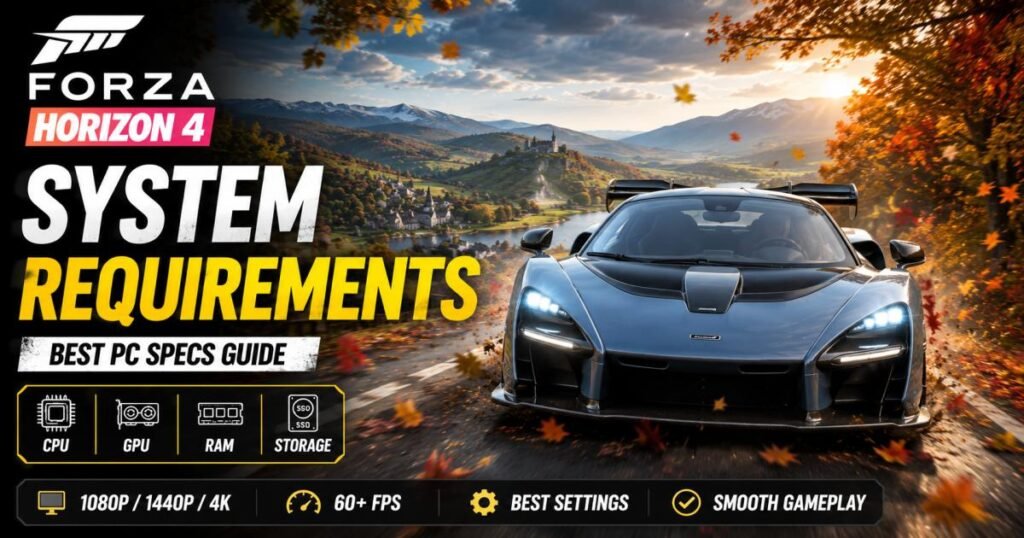
Drifting across the historic British countryside requires a system that can keep up with rapid environmental rendering. If you want to avoid abrupt performance hitches, you must compare your hardware to the official Forza Horizon 4 system requirements.
The underlying game engine stands out for its exceptional hardware scalability. This highly optimized code allows older gaming computers from a decade ago to run the game comfortably, while still letting modern components hit triple-digit frame rates.
To launch the game, you need a baseline setup featuring an Intel i3-4170 processor, an entry-level graphics card with 2GB of video memory, and 8GB of system memory. If you want to avoid visual compromises and target a locked 60 frames per second (FPS) at 1080p resolution, you will need to aim for the recommended targets, which include an Intel i7-3820 processor and an NVIDIA GTX 970 graphics card.
Forza Horizon 4 System Requirements: Quick Overview
The hardware tiers group performance brackets into distinct baselines. This immediate breakdown shows what you can expect from different generations of PC hardware.
Minimum System Requirements
This configuration aims to get this popular open-world racing game running. You will typically play at 1080p resolution on Low visual settings while averaging 30 to 40 FPS.
- Processor (CPU): Intel Core i3-4170 @ 3.7GHz or AMD FX-6120
- Graphics (GPU): NVIDIA GeForce GTX 650 Ti or AMD Radeon R7 250X
- System Memory: 8GB RAM
- Video Memory (VRAM): 2GB
- Storage Space: 80GB available space
Recommended System Requirements
This setup hits the performance sweet spot. It targets a steady 1080p resolution at 60 FPS on High settings, which makes tire physics and steering inputs feel far more responsive.
- Processor (CPU): Intel Core i7-3820 @ 3.6GHz or AMD Ryzen 5 1500X
- Graphics (GPU): NVIDIA GTX 970 or GTX 1060 (3GB) / AMD R9 290X or RX 470
- System Memory: 12GB RAM
- Video Memory (VRAM): 4GB
- Storage Space: 100GB available space
Ideal Specifications for High Settings
If you use a 1440p (Quad HD) monitor and want high-speed stability without frame rate drops, step up to these modern budget parts.
- Processor (CPU): Intel Core i5-10400F or AMD Ryzen 5 3600
- Graphics (GPU): NVIDIA GTX 1070 Ti or AMD Radeon RX 5600 XT
- System Memory: 16GB RAM
- Video Memory (VRAM): 6GB
Ultra/4K Gaming Requirements
For native 4K resolution with every single graphical toggle maxed out—including motion blur precision, car reflections, and night lighting—your PC needs major rendering power.
- **Processor (CPU): Intel Core i7-12700K or AMD Ryzen 7 5800X3D**
- **Graphics (GPU): NVIDIA RTX 3070 or AMD Radeon RX 6700 XT**
- **System Memory: 16GB or 32GB RAM**
- **Video Memory (VRAM): 8GB or more**
Official Forza Horizon 4 system requirements
Let’s break down the individual component categories, so you know exactly why each part matters to the game engine.
Operating System
The game will only run on 64-bit operating systems. You need Windows 10 (version 15063.0 or higher) or a modern installation of Windows 11. Old 32-bit operating systems cannot execute the game files.
Processor (CPU)
The game uses your processor to track real-time AI driving paths and compute immediate suspension physics. Dual-core chips with multithreading can scrape by, but quad-core or six-core processors protect you from world-streaming pauses during high-speed highway runs.
Graphics Card (GPU)
Your graphics card draws the car models, changing seasons, and weather effects. The game requires a dedicated graphics setup; integrated desktop processors usually lack the juice to run the open-world environments properly.
RAM Requirements
The developers listed an unusual 12GB requirement for the recommended tier. Since modern computers run best when using matching memory sticks to enable high-speed dual-channel RAM, you should install 16GB (two 8GB sticks) to keep background applications from starving the game.
Storage Space
The initial launch installation required 80GB. With the inclusion of seasonal content updates, system patches, and map expansions, you must reserve 100GB of clean drive space.
DirectX Version
You must have a DirectX 12 graphics card to play. If your graphics processor relies on older hardware steps that max out at DirectX 11, the software will show a crash log on your screen and shut down immediately.
Internet Connection
You need a steady broadband internet connection to download patches, grab user-made car liveries, and join the global Horizon Life servers. You can, however, play the main offline campaign mode without a network connection.
Minimum vs Recommended vs Ultra Requirements
Performance Comparison Table
| Performance Factor | Minimum Tier | Recommended Tier | Ultra 4K Tier |
| Output Resolution | 1080p (Low Settings) | 1080p (High Settings) | 2160p (Ultra Settings) |
| Average Frame Rate | 30–40 FPS | 60 FPS | 90–120+ FPS |
| Texture Clearness | Low / Noticeable Blur | High / Very Sharp | Ultra / Pristine |
| Draw Distance | Short (Visible Pop-in) | Medium / Long | Maximum Visible Horizon |
| Dynamic Refraction | Disabled | Medium | High Precision |
Which Setup Is Best for Different Players?
- Casual Driving (Minimum Tier): This fits players who only want to complete occasional weekly championships and do not mind console-like visual limits or shorter viewing distances.
- Competitive Club Racing (Recommended Tier): This serves as the benchmark for online multiplayer. Getting a locked 60 frames per second removes input delay, helping you correct oversteer instantly and hit drift zones precisely.
- Immersive Sim-Hosting (Ultra Tier): This tier serves enthusiasts running premium force-feedback steering wheels, ultra-wide displays, or high-refresh gaming monitors that require pristine visual clarity to judge distant corner braking points.
Can your PC run Forza Horizon 4 system requirements?
Before spending your cash on a digital download, take a quick moment to verify your current hardware.
How to Check Your PC Specifications
- Press the Windows Key + X on your keyboard, then select System from the pop-up menu. Look at the “Device specifications” area to read your exact CPU model name and total memory volume.
- Open your Task Manager using Ctrl + Shift + Esc, choose the Performance tab, and select GPU to check your specific graphics card model and its dedicated video memory limit.
Compare Your Hardware with the Game Requirements
Compare your notes with the official specifications for Forza Horizon 4. If your processor generation stands above the legacy i3-4170 and your graphics card carries more than 2GB of VRAM, your machine is clear to run the software.
Common Compatibility Issues
Old enterprise machine builds often trigger an “Unsupported Graphics Card” warning. This occurs when the system relies on corporate integrated display chips that lack complete DirectX 12 hardware support. Keeping your primary operating system updates current prevents the platform launcher from blocking your game activation.
Best PC Specifications for Forza Horizon 4 system requirements
Buying old, discontinued component models from the original launch list rarely makes sense today. Instead, let’s explore modern market options that match the fh4 pc requirements perfectly across various price points.
Best Budget PC Build
This build easily maintains 1080p resolution at 60+ FPS on High settings without demanding a massive financial investment.
- Processor (CPU): Choose either the AMD Ryzen 5 5600 or the Intel Core i3-12100F.
- Graphics (GPU): AMD Radeon RX 6600 (8GB)
- System Memory: 16GB DDR4 (Configured in a 2x8GB dual-channel layout)
- Storage: 512GB NVMe Solid State Drive
Best Mid-Range Gaming PC
Choose this system tier to run a 1440p monitor or push a high-refresh 1080p screen past 100 FPS.
- Processor (CPU): AMD Ryzen 5 7600 or Intel Core i5-12400F
- Graphics (GPU): NVIDIA RTX 4060 (8GB) or AMD Radeon RX 7600
- System Memory: 16GB or 32GB DDR5 RAM
- Storage: 1TB NVMe Solid State Drive
Best High-End Gaming PC
This tier delivers optimal performance, ensuring that native 4K graphics run smoothly and without interruptions.
- Processor (CPU): AMD Ryzen 7 7800X3D
- Graphics (GPU): NVIDIA RTX 4070 Super or AMD Radeon RX 7800 XT
- System Memory: 32GB DDR5 RAM
- Storage: 2TB NVMe Gen4 Solid State Drive
Best Laptop Specifications
If you prefer portable gaming, keep an eye out for these hardware baselines:
- Entry-Level Gaming Laptop: Seek out a modern laptop equipped with an AMD Ryzen 5 chip, an NVIDIA RTX 3050 mobile card, and 16GB of system RAM.
- Performance Gaming Laptop: Choose a machine running an Intel i7 or Ryzen 7 mobile processor paired with an NVIDIA RTX 4060 Laptop GPU to comfortably support the Ultra presets.
Graphics Settings and Expected FPS
Let’s evaluate what real-world frame rates look like across the primary preset tiers.
Low Settings (1080p)
- Visual Presentation: Simplified shadow geometry, flat reflections, low-density foliage, and shorter object rendering ranges.
- Performance Expectations: Modern integrated portable handhelds (like the AMD Radeon 780M) or older budget desktops typically reach 45 to 60 FPS.
Medium Settings (1080p)
- Visual Presentation: Balanced texture filtering, active basic motion blur, and cleaner vehicle panel lines.
- Performance Expectations: Older classic dedicated graphics cards easily hold a stable 65 to 85 FPS.
High Settings (1440p)
- Visual Presentation: Rich roadside terrain details, readable dashboard dials, realistic raindrops, and crisp headlights bouncing off wet night streets.
- Performance Expectations: Common mid-tier gaming setups sustain an impressive 75 to 95 FPS.
Ultra Settings (4K)
- Visual Presentation: Long drawing distances, highly realistic road asphalt textures, maximum roadside tree density, and mirrors that accurately reflect the world behind you.
- Performance Expectations: Current premium enthusiast setups run smoothly between 90 and 130+ FPS.
CPU Performance Guide
Understanding how your computer’s main processor splits processing tasks helps keep your frame pacing consistent.
[System Balance Diagram]
Proper Resource Flow: [CPU Tracks Physics] —> [GPU Renders Textures] —> Smooth 60+ FPS
Imbalanced Resource Flow: [Old CPU Maxed 100%] ===> [GPU Sits Idle/Waiting] —> Engine Stutter
Best Intel Processors
For older budget upgrades, an Intel Core i5-10400F serves as a fine value selection. For newer system configurations, the Core i3-12100F or Core i5-13400F will handle the game engine calculations with ease.
Best AMD Ryzen Processors
The larger cache layouts on AMD’s performance chips excel at stabilizing frame times in open-world racing games. The Ryzen 5 5600 stands as an excellent budget option, while the Ryzen 7 5800X3D or 7800X3D will completely maximize your frame rates.
CPU Bottleneck Considerations
A severe CPU bottleneck happens when a fast graphics card is ready to deliver 100 FPS, but an old processor is stuck at 100% capacity calculating environment coordinates and car placement. If your frame counter reads high but you experience sharp frame rate drops when driving around the city center, your processor is likely holding the system back.
GPU Performance Guide
Your graphics chip is tasked with drawing every blade of grass, stone wall, and vehicle reflection across the British map.
NVIDIA Graphics Cards
Older cards like the legacy GTX 1060 (6GB variant) remain highly capable options, still delivering solid 1080p High settings performance. For modern card upgrades, selecting an RTX 3060 or RTX 4060 gives you plenty of extra visual headroom.
AMD Radeon Graphics Cards
AMD’s hardware architecture handles the engine’s rendering paths efficiently. The older RX 580 (8GB) remains a great budget choice for 1080p, while the newer RX 6600 serves as the best graphics card for Forza Horizon 4 when balancing cost and high frame rates.
Recommended VRAM Limits
- 2GB VRAM: Limits you to Low textures. Raising visual options will quickly trigger memory warning alerts.
- 4GB VRAM: The baseline sweet spot for 1080p High settings.
- 8GB VRAM or more: Provides ample room for Ultra textures, 1440p resolutions, and complex anti-aliasing steps.
RAM and Storage Requirements Explained
How your system manages its fast temporary memory directly shapes your overall open-world driving experience.
Is 8GB RAM Enough?
Yes, it lets the game boot up and run. However, because modern operating systems require roughly 3GB to 4GB of RAM just to manage your desktop background processes, leaving only 4GB for an open-world engine can cause data page filing, which leads to occasional micro-stutters.
Is 16GB RAM Better?
Installing 16GB of system memory ensures the game engine can cache upcoming map zones well before you drive through them. This extra breathing room keeps your ride smooth and stutter-free.
SSD vs HDD Performance
- Mechanical Hard Drive (HDD): The game will work, but you will face long initial loading screens. At extreme driving speeds, a mechanical drive may fail to stream assets fast enough, causing roads or buildings to temporarily disappear.
- Solid State Drive (SSD): Using a solid state drive drops loading screens down to a few seconds and completely removes late texture pop-in.
Required Installation Space
Clear a minimum of 100GB of uncompressed storage drive space before you click the download button.
Best Graphics Settings for Smooth Gameplay
If you want to maximize your frame rate without making the environments look blurry or washed out, try adjusting these manual parameters.
Best Settings for Low-End PCs
- Anisotropic Filtering: 4x
- Shadow Quality: Low
- Motion Blur: Off
- Environment Geometry Quality: Medium
- MSAA (Anti-Aliasing): Off or 2x
Best Settings for Mid-Range PCs
- Anisotropic Filtering: 8x
- Shadow Quality: High
- Dynamic Geometry: High
- Deformable Terrain: High
- MSAA (Anti-Aliasing): 4x
Best Settings for High-End PCs
- Anisotropic Filtering: 16x
- Shadow Quality: Ultra
- Night Lighting: High
- MSAA (Anti-Aliasing): 4x or 8x
Recommended FPS Targets
- Handheld/Controller Setup: Aim for a steady, locked 60 FPS to keep car weight transitions predictable.
- Force-Feedback Steering Wheel Setup: Target 90+ FPS on a high-refresh screen to minimize the input latency between tire slips and physical wheel reactions.
How to Improve Performance in Forza Horizon 4 system requirements
If your current setup experiences frame rate drops during heavy autumn rainstorms or dense winter snow layout cycles, try running through these performance optimization steps.
1. Update Graphics Drivers: Takes 3 minutes.
Download the latest official software build from your manufacturer via the NVIDIA app or AMD Adrenalin dashboard. Driver updates often patch game-specific engine bugs.
2. Adjust Windows Power Management: Takes 1 minute.
Open your Windows Control Panel, select Power Options, and toggle the profile setting to High Performance. This prevents your CPU from dropping into power-saving clock speeds during races.
3. Configure In-Game Scaling: Takes 2 minutes.
Turn on the Dynamic Optimization switch inside the game’s video settings menu. The software will automatically scale down secondary visual settings during complex race pileups to protect your frame target.
4. Close Background Applications: Takes 1 minute.
Launch the Task Manager and shut down resource-heavy software like web browsers or complex screen capture overlays before clicking play.
5. Turn On Windows Game Mode: Takes 1 minute.
Navigate to your Windows system settings, enter the Gaming category, and toggle Game Mode to On. This tells the operating system to prioritize system resources for the active game window.
Common Performance Problems and Fixes
Low FPS
If your general frame rate feels sluggish, the fastest fix is dropping your Shadow Quality preset and lowering MSAA. These settings place a heavy load on your graphics processor; lowering them can improve your performance by 15% without ruining the game’s overall look.
Stuttering
Micro-stutters usually point to a shortage of system RAM or VRAM. Lower the primary texture preset notch and shut down heavy background messaging or streaming apps before launching your car from the garage.
Crashes at Startup
If the game closes itself right after the startup splash image appears, verify these points:
- Right-click the game executable icon and choose Run as Administrator.
- Temporarily turn off third-party hardware monitoring overlays.
- Verify that your Windows 10 or 11 software build version matches the system requirements baseline.
Black Screen Issues
This happens when the engine tries to display an unsupported display resolution or refresh rate. Press Alt + Enter during the boot sequence to force the game into windowed mode, then select your monitor’s native display values in the video settings menu.
Long Loading Times
If you find yourself waiting a long time between race events, moving the entire game installation folder off a mechanical hard drive onto an internal solid-state drive will fix the issue.
Forza Horizon 4 vs Forza Horizon 5 System Requirements
Evaluating the jump in hardware demands is helpful if you plan on transitioning to the next game in the series.
CPU Comparison
While Horizon 4 runs beautifully on basic quad-core chips, Horizon 5 tracks far more complex environmental assets. Because of this, its engine requires an Intel i5-4460 or AMD Ryzen 3 1200 minimum processor just to launch safely.
GPU Comparison
The graphics requirements step up noticeably between the two titles:
| Game Title | Minimum GPU Target | Recommended GPU Target |
| Forza Horizon 4 system requirements | GTX 650 Ti / Radeon R7 250X | GTX 970 / Radeon RX 470 |
| Forza Horizon 5 system requirements | GTX 970 / Radeon RX 470 | GTX 1070 / Radeon RX 590 |
RAM Comparison
Horizon 4 operates comfortably within an 8GB to 12GB system range. Horizon 5 explicitly recommends a 16GB baseline to handle its high-resolution desert and jungle assets without hitching.
Which Game Is More Demanding?
Forza Horizon 5 is significantly more demanding on your PC hardware. It features a larger overall map, complex dynamic dust storms, and heavy ray-tracing options. If your desktop configuration already struggles to maintain a stable 60 FPS in Horizon 4, you will definitely need to lower settings or upgrade components to handle Horizon 5 smoothly.
Frequently Asked Questions (FAQ)
What are the minimum system requirements for Forza Horizon 4?
You will need an Intel i3-4170 or AMD FX-6120 CPU, an NVIDIA GTX 650 Ti or AMD R7 250X GPU, 8GB of RAM, and 80GB of open storage space to run the game at minimum settings.
Can I run Forza Horizon 4 system requirements with 8GB RAM?
Yes, the game launches and plays on 8GB of RAM. However, you might experience occasional micro-stutters when driving at extreme speeds as the engine streams assets. Upgrading to 16GB of dual-channel RAM is a cheap way to fix this issue.
Is an SSD required for the Forza Horizon 4 system requirements?
An SSD is not strictly mandatory, but it is highly recommended. Installing the game on a solid-state drive dramatically reduces initial loading times and prevents objects from popping into view late.
What graphics card is recommended for Forza Horizon 4 system requirements?
The official recommendation is an NVIDIA GTX 970 or an AMD Radeon RX 470. For modern shoppers looking at newer components, an AMD Radeon RX 6600 or NVIDIA RTX 4060 will easily max out the game at high frame rates.
Can I play Forza Horizon 4 system requirements on a low-end laptop?
Yes, provided your laptop features an older dedicated graphics option like a GTX 1050 Mobile or newer. If your machine only relies on older integrated office graphics chips, the frame rates will likely be too low to play comfortably.
How much storage does Forza Horizon 4 need?
You should reserve a clean 100GB of available drive space to safely accommodate the core installation files alongside seasonal updates and DLC additions.
Does Forza Horizon 4 support DirectX 12?
Yes, the game engine is built around the DirectX 12 API. Your graphics hardware must support feature-level 11 execution steps to launch the game.
Final Verdict
Forza Horizon 4 system requirements stand as a masterclass in code optimization. Its highly flexible engine scales down perfectly for old rigs, which remains its biggest strength for players running modest setups.
If you are upgrading your desktop or building a budget PC today, targeting a modern entry-level configuration—like an AMD Ryzen 5 5600 processor paired with an RX 6600 graphics card and 16GB of RAM—will easily clear the official recommended specs for Forza 4. This combination gives you more than enough headroom to enjoy smooth, high-refresh racing through the British countryside. Adjust your settings, update your drivers, and see you on the road!