
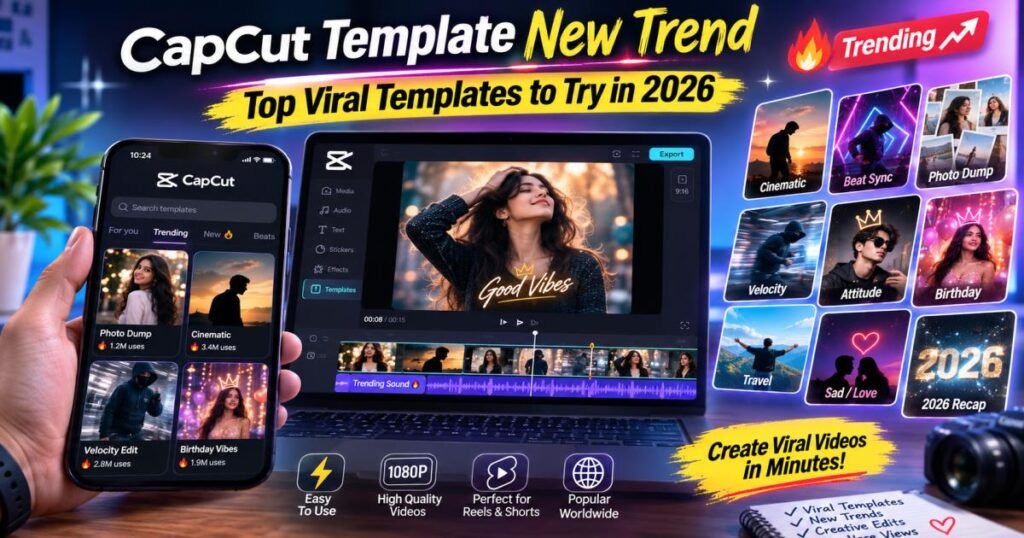
The CapCut template new trend in 2026 focuses on beat-synced photo videos, velocity cuts, slow-motion reveals, and clean photo recaps. Creators drop in their own photos or clips and finish polished short videos in minutes. These formats work across TikTok, Instagram Reels, and YouTube Shorts. Trends shift with popular songs and challenges, so checking current popularity inside CapCut beats relying on old lists.
What Is the CapCut Template New Trend?
CapCut templates are ready-made video projects. They already hold the timing, transitions, effects, text styles, and often the music. You swap the placeholder media with your photos or clips, make small changes, and export.
A template turns “new” or trending when many people start using it quickly. High use counts, fresh spots in CapCut’s New or Trending tabs, and frequent posts on TikTok or Instagram show strong momentum. Trends move when someone sees a video, taps the CapCut icon or “Try this template” button, and recreates it. The same style then spreads across platforms because short videos reward similar pacing and strong openings.
Popularity changes fast. A rising song, a new challenge, or a seasonal theme can push one style ahead while others fade. That is why the CapCut template new trend favors creators who open the app often instead of copying fixed lists from weeks ago.
Best CapCut Template New Trend Styles in 2026
These styles keep drawing strong engagement this year.
Photo-to-Video Trending Templates
These turn still photos into moving videos. Photos snap or zoom on the beat. They suit lifestyle dumps, travel memories, outfit posts, and friend groups. Most need only 5–10 photos and little or no video. Viewers often rewatch because the rhythm feels tight and satisfying.
Slow-Motion and Beat-Sync Templates
Slow-motion templates stretch key moments. Beat-sync templates cut or change speed exactly with the music. Together they add drama and energy. Sports clips, product reveals, fashion walks, and dance moments work especially well. The mix of smooth slow-mo and sharp cuts helps keep people watching to the end.
Cinematic and Aesthetic Templates
Soft color grades, film grain, gentle zooms, and smooth fades give photos or clips a polished look. Travel videos, daily vlogs, and mood posts benefit most. These templates often use slower pacing so viewers can enjoy each shot.
Glow-Up and Before-and-After Templates
These show clear change—messy to clean, casual to styled, or progress photos. A flash, speed ramp, or smooth wipe usually marks the shift. Fitness, beauty, home updates, and personal style content use them a lot because the visual payoff hits fast and invites shares.
Trending Song Templates
Templates built around current popular tracks sync cuts, text, or effects to the lyrics or beat drops. When a song spreads, these templates ride along. Always check that the music still plays in your region before you spend time editing.
Transition and Velocity Templates
Velocity edits speed up and slow down clips with smooth ramps. Strong transitions keep the video moving. Fashion, car, sports, and high-energy lifestyle clips look sharp with these styles.
Attitude and Stylish Templates
Bold text, confident poses, sharp cuts, and strong music define this group. Status-style videos, fashion posts, and personality-driven content thrive here. The templates often leave space for short captions that match the mood.
Travel and Vacation Templates
Soft cinematic looks, location text, and relaxed pacing turn trip photos into short stories. Many include gentle zooms and warm color grades that make places feel inviting.
2026 Photo Recap Templates
Mid-year or “life lately” style templates arrange many photos into a quick summary. They work well for personal updates, team moments, or seasonal look-backs. Simple grids or sequential reveals keep them easy to watch.
How to Find the Latest CapCut Template New Trend
Open CapCut and go to the Templates section. Start with the Trending or New tabs—these update often with what people actually use. Search style words such as “beat sync photo,” “velocity,” “glow up,” “cinematic,” or “photo dump.” Exact template names change, so style searches work better.
Watch the use numbers and how recently the template appeared. A template that climbed fast usually carries more energy. Cross-check what you see on TikTok and Instagram Reels. Videos with the CapCut icon or “Try this template” button usually lead to current styles. Skip old blog lists or screenshots from months ago—trends move too quickly for those to stay useful.
How to Use a New CapCut Template
Step 1: Find the Template
Browse inside CapCut or tap a template link from TikTok or Instagram. Preview the full effect so you know how it will look with your content.
Step 2: Open “Use Template”
Tap the button. CapCut shows how many photos or video clips the template needs.
Step 3: Add Your Photos or Videos
Select the right number of clips or images from your gallery. Put them in an order that fits the story or beat.
Step 4: Preview and Adjust the Edit
Play the video. Trim clips, change the order, edit text, shift timing a little, or swap the music if needed. Keep most of the original structure so the rhythm stays strong.
Step 5: Export and Share
Choose high quality (1080p or better) and export. Post directly or save the file to upload to TikTok, Instagram Reels, or YouTube Shorts.
Best CapCut New Trends for Indian Creators
Indian creators often favor music-driven and expressive styles.
Hindi Song and Lyrics Templates
Templates that highlight lyrics or sync cuts to popular Hindi tracks perform well. Bold text and emotional or energetic pacing fit many status and mood videos.
Punjabi Music Templates
High-energy beats and fast cuts match Punjabi tracks. These work for celebrations, attitude posts, and lively lifestyle clips.
Attitude and Status Video Templates
Strong poses, short captions, and confident music create shareable status-style content that travels easily in WhatsApp and Instagram circles.
Festival and Celebration Templates
Bright colors, festive effects, and group photo arrangements suit Diwali, Holi, weddings, and other celebrations.
Travel and Lifestyle Edits
Soft cinematic or photo-dump styles help show trips, city life, or daily routines in a clean, appealing way.
How to Choose the Right Trending CapCut Template
Match the template to the footage you already have. A photo-heavy template fails if you only have video. A fast velocity style looks weak with soft, slow clips. Check the required number of clips so you do not run short. Listen to the music and note the beat points—your key moments should land on them. Look at the visual style (bright, moody, minimal, bold) and decide if it fits your content or the platform you post on most. Add a personal touch: change text, tweak timing a little, or swap one effect so the video does not look identical to everyone else’s.
CapCut Template New Trend for TikTok, Instagram Reels, and YouTube Shorts
TikTok
Fast openings and high replay value win. Beat-sync photo reveals and velocity edits often perform best because the platform rewards quick engagement and rewatches.
Instagram Reels
Slightly longer watch time and saves matter more. Cinematic and aesthetic templates, plus clean photo dumps, tend to encourage people to watch fully and save for later.
YouTube Shorts
Clear storytelling and satisfying pacing help. Glow-up reveals, travel recaps, and simple before-and-after styles keep viewers through the end.
The same template can work on all three platforms, but small changes in length, text size, or opening shot improve results on each one.
Why Some CapCut Templates Become Viral
Popular music carries many templates. Simple structures that need only a few photos or clips make it easy for more people to join. Strong visual transitions and easy media replacement lower the barrier. Social challenges and creator participation create a wave—once enough people post the same style, the platforms push it further. The mix of music, ease, and visual payoff turns a good template into a widespread trend.
Are Trending CapCut Templates Free to Use?
Most templates in CapCut are free to use and export. Some carry a Pro badge and may need a subscription for watermark-free export or access to certain premium effects and music. “Use Template” simply opens the project so you can replace the media. Always check the template details before you invest time editing. Availability can also depend on your region, app version, and device.
Common Problems With New CapCut Templates
Template Is Not Available
It may be region-locked, removed, or temporarily unavailable. Search for a similar style instead of forcing the exact one.
Template Link Does Not Open
Update CapCut, make sure you are logged in, and try opening the link from the CapCut app or the original platform again.
“Use Template” Option Is Missing
Some links work only on mobile. Confirm you are in the CapCut app and that the template is still active.
Music or Effects Are Unavailable
Licensed tracks or certain effects can drop in some regions. Replace the audio with a free track from CapCut’s library or simplify the effects.
Template Does Not Work on Your Device
Older phones or outdated app versions sometimes struggle with heavy effects. Update the app or choose a lighter template.
Tips for Making a Trending CapCut Template Video Stand Out
Use clear, high-quality photos and clips—blurry media weakens even the best template. Choose moments that land on the beat. Avoid packing too many clips; let the rhythm breathe. Personalize text and small timing adjustments so the video feels like yours. Start with a strong opening frame that stops the scroll. Export at solid quality so the final video looks sharp on phone screens.
Final Takeaway
The CapCut template new trend rewards creators who stay current and choose styles that fit their own content. Check the Templates section inside CapCut, watch what is spreading on TikTok and Instagram, and pick formats that match the photos or clips you already have. Trends will keep changing, but the core idea stays the same: simple, well-timed templates help you create faster and look better. Focus on what fits your voice rather than chasing every viral format, and your videos will feel more natural and last longer.
Frequently Asked Questions About CapCut Template New Trend
What is the newest CapCut template trend?
Beat-synced photo reveals, velocity edits, and cinematic slow-motion styles currently lead, but the exact leaders shift weekly based on popular songs and challenges.
Where can I find new CapCut templates?
Open the Templates tab inside the CapCut app, check the Trending and New sections, or tap “Try this template” buttons on TikTok and Instagram videos.
Which CapCut templates are trending in 2026?
Photo-to-video beat-sync, glow-up reveals, velocity transitions, cinematic aesthetic looks, and photo recap formats remain among the most used.
Are CapCut trending templates free?
Most are free. A smaller number require CapCut Pro for full access or watermark-free export. Always check the template page.
Can I use CapCut templates for Instagram Reels?
Yes. Export the finished video and upload it directly to Instagram Reels.
Can I use CapCut templates for YouTube Shorts?
Yes. The same exported file works for YouTube Shorts.
Why can’t I find a trending CapCut template?
It may have been removed, region-locked, or replaced by a newer version. Search by style keywords instead of exact names and check for similar templates.
How often do new CapCut trends appear?
New styles surface weekly or even daily as songs and challenges rise. Checking the app a few times a week keeps you current without chasing every single change.