
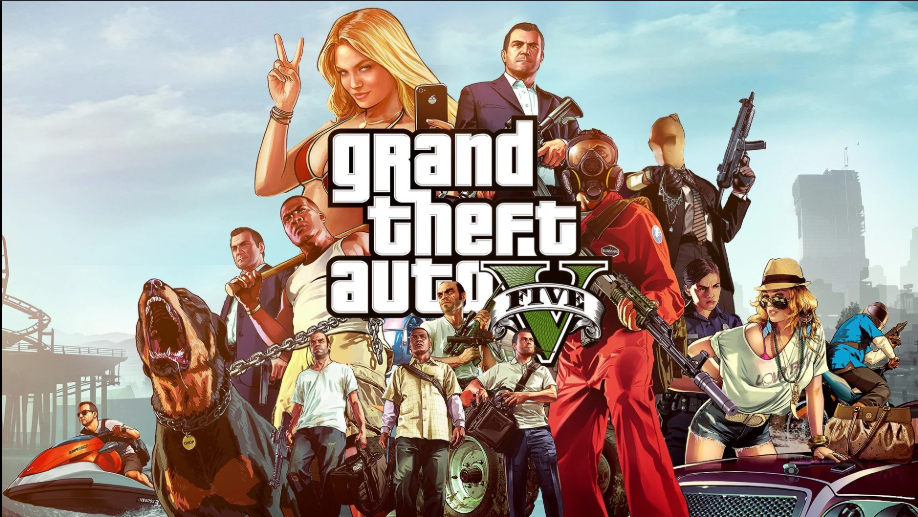
Can your computer run Grand Theft Auto V in 2026? Yes, it likely can. If you bought your machine within the last few years, you can easily load the game. However, your performance depends on which version you choose to run. Rockstar Games offers two versions on PC: the original GTA 5 Legacy Edition and the updated GTA 5 Enhanced Edition. The older Legacy version runs on very weak hardware, but the Enhanced version requires a solid-state drive (SSD) and a modern graphics card to handle advanced lighting.
Knowing the exact GTA 5 pc requirements prevents you from wasting hours downloading a massive file that your computer might struggle to play. This guide covers everything you need to know for both desktop towers and portable laptops.
GTA 5 PC Requirements (Quick Overview)
If you need a fast answer to see if your computer is compatible, you can check the core hardware baselines right here. Your hardware needs change depending on whether you want a basic experience or the upgraded version.
Minimum PC Requirements
The absolute lowest setup to open the older Legacy game client requires an Intel Core 2 Quad processor, 4GB of RAM, and a 1GB video card. If you want to load the newer Enhanced edition, the baseline jumps to an Intel Core i7-4770, 8GB of RAM, a 4GB video card, and mandatory solid-state storage.
Recommended PC Requirements
For a smooth experience with stable frame rates at 1080p resolution, your rig needs an Intel Core i5-3470 or AMD FX-8350 with 8GB of RAM and a 2GB card for Legacy. For the upgraded 2025 version, you need a system with an AMD Ryzen 5 3600 or Intel Core i5-9600K, 16GB of RAM, and an 8GB graphics card like the RTX 3060.
GTA 5 Enhanced Edition Requirements
The Enhanced Edition is the modern version of the game. It requires an SSD to stream textures quickly. You need at least a GTX 1630 or Radeon RX 6400 graphics card, 8GB of RAM, and a Core i7-4770 processor. For the best performance, Rockstar recommends an RTX 3060 or RX 6600 XT paired with a fast NVMe storage drive and 16GB of system RAM running on Windows 11.
Gta 5 pc requirements Legacy Edition Requirements
The Legacy version is the original game build that came out on PC in 2015. It stays active for players who use older or budget computers. It only requires a basic quad-core processor, 4GB to 8GB of system RAM, an old mechanical hard drive, and a graphics card with at least 1GB to 2GB of video memory (VRAM).
Official GTA 5 Minimum System Requirements
Rockstar Games sets specific baseline rules for your computer hardware. If your components fall below these limits, the game launcher will either close with an error or show an unplayable slideshow.
- Operating System: Windows 10 64-Bit (with latest updates)
- Processor (CPU): Intel Core i7-4770 or AMD FX-9590
- System Memory: 8 GB RAM
- Graphics Card (GPU): NVIDIA GeForce GTX 1630 (4GB) or AMD Radeon RX 6400 (4GB)
- Storage Space: 105 GB available space on a Solid State Drive (SSD)
- Sound Card: 100% DirectX 10 compatible audio device
Official Gta 5 pc requirements System Requirements
To view the open-world map with heavy traffic, thick grass, and stable frame rates at full high definition, your desktop needs parts that match or beat these milestones.
- Operating System: Windows 11 64-Bit
- Processor (CPU): Intel Core i5-9600K or AMD Ryzen 5 3600
- System Memory: 16 GB RAM (configured in dual-channel mode)
- Graphics Card (GPU): NVIDIA GeForce RTX 3060 (8GB) or AMD Radeon RX 6600 XT (8GB)
- Storage Space: 105 GB available space on an NVMe SSD
- Audio System: Windows Spatial Sound compatible headset or speakers
Gta 5 pc requirements Enhanced Edition vs Legacy Edition Requirements
The split between the two editions of Grand Theft Auto V changes how you should plan your hardware upgrades. It is not just about changing settings from low to high; it is about running completely different game files.
Graphics Improvements
The Enhanced version looks much sharper than the classic Legacy build. Texture filtering is cleaner, trees and bushes look thicker across the countryside, and water reflects buildings instead of using a fake blur. Smoke, fire, and car explosions look realistic, which forces your graphics card to work harder.
Ray Tracing Features
The major addition to the Enhanced edition is real-time ray tracing. This feature makes light bounce realistically off cars, wet roads, and mirrors. The Legacy version uses simple pre-made images to fake these reflections, while the Enhanced engine draws them in real-time. This demands a modern card with dedicated ray-tracing hardware.
Performance Differences
Running the Legacy version on an older graphics card can easily give you over 100 frames per second at 1080p resolution. However, if you open the Enhanced edition on that same hardware, your frame rates will drop significantly. The upgraded engine needs more processing power to run the smart civilian AI and dense traffic systems.
Which Version Should You Install?
If you have an older desktop tower, a standard school laptop, or a budget PC without a separate graphics card, install the Legacy Edition. It guarantees smooth play without making your computer too hot. If you own a modern gaming setup with an SSD and an RTX or RX graphics card, pick the Enhanced Edition for the best visual experience.
Gta 5 pc requirements Laptop Compatibility Guide
Many players like to play Grand Theft Auto V on portable machines. Playing on a laptop requires you to pay attention to heat limits and mobile hardware speeds.
Can You Play GTA 5 on a Laptop?
Yes, you can easily play this game on a modern laptop. Portable processors and smaller mobile graphics chips handle the rendering work well. Keep in mind that laptop parts run slower than desktop parts with the same name because they have less room to cool down.
Minimum Laptop Specifications
To run the classic version of the game on a laptop, you need a basic built-in chip like Intel Iris Xe or an AMD Radeon Vega cluster, alongside 8GB of system RAM. If you want to play the upgraded Enhanced version, your laptop must have a separate graphics chip like an NVIDIA GTX 1650 or RTX 2050.
Recommended Gaming Laptop Specifications
For a smooth 60 frames per second experience, buy a laptop with an AMD Ryzen 5 or Intel Core i5 processor from recent years. It should have 16GB of DDR4 or DDR5 RAM running in dual-channel, an NVIDIA RTX 3050 or RTX 4050 mobile GPU, and an internal NVMe SSD.
Integrated Graphics vs Dedicated GPU
Built-in (integrated) graphics share your main system memory to handle video tasks, which slows down your whole PC. Separate (dedicated) graphics cards have their own high-speed video memory (VRAM), which makes your gameplay fluid.
| Feature | Integrated Graphics (Intel UHD / Iris Xe) | Dedicated GPU (NVIDIA RTX / AMD RX) |
| Performance Level | Low to Medium (Legacy Edition Only) | High (Enhanced Edition Ready) |
| Target Resolution | 720p or 1080p on Low Settings | 1080p to 1440p on High Settings |
| System RAM Impact | Steals your regular system RAM | Uses its own high-speed VRAM |
| Frame Rate Stability | Drops during fast police chases | Stays at a steady 60+ frames per second |
Best Laptop Settings for Smooth Gameplay
To prevent your laptop from overheating and lagging, lock your frame rate to match your screen’s refresh rate. Turn off heavy edge-smoothing settings like MSAA. Keep texture quality on medium if your video card has less than 4GB of memory, and use a laptop cooling pad to keep fresh air moving through the case.
Gta 5 pc requirements Desktop Compatibility Guide
Desktop computers offer the best path for upgrading parts and playing for hours without heat issues. Here is how different desktop tiers handle the game load.
Entry-Level Desktop
An entry-level computer with an older quad-core Intel i3 processor, 8GB of RAM, and a GTX 1050 Ti or GTX 1650 provides a decent start. This build runs the Legacy version at 1080p with mixed settings at roughly 50 to 60 frames per second.
Mid-Range Gaming PC
A mid-range setup using a Ryzen 5 3600 or Core i5-10400, 16GB of RAM, and an RTX 3060 graphics card handles both versions of the game easily. You can turn the settings up all the way on the Legacy version, or enjoy the Enhanced version on High settings with a steady 60+ frames per second.
High-End Gaming PC
An upper-tier system with an Intel Core i7 or Ryzen 7 processor, 16GB to 32GB of quick memory, and a card like the RTX 4060 Ti lets the game fly. You can turn on ray tracing features in the Enhanced version while keeping your screen resolution at 1440p.
Ultra Graphics Build
For enthusiast rigs running an RTX 4080 or RX 7900 XTX paired with a top-end processor, you can max out everything. You can run the game at full 4K resolution with ultra shadows, high ray tracing, and extended view distances while staying well above 100 frames per second.
Can Your PC Run GTA 5?
Checking your system parts before downloading the files saves you from technical headaches later.
How to Check Your PC Specifications
To see what hardware is inside your computer under Windows, follow these simple steps:
- Press the Windows Key + X on your keyboard and click System to see your processor model and RAM amount.
- Press Ctrl + Shift + Esc to open the Task Manager, then click the Performance tab.
- Click GPU in the side list to see your exact graphics card model and its dedicated video memory.
Compare Your Specs with Gta 5 pc requirements
Line up your computer specs next to the official requirements list. Make sure your processor has enough cores, your system has enough gigabytes of memory, and your storage drive matches the needs of the game version you want to install.
Free Tools to Test Compatibility
If you want an automatic test, go to websites like Can You Run It. Their safe browser tool checks your hardware parts in a few seconds and compares them to the game’s file database. This tells you if your PC passes or fails instantly.
Gta 5 pc requirements Hardware Explained
To understand why certain components matter more than others in Los Santos, let us look at how the game uses your hardware.
CPU Requirements
Grand Theft Auto V relies heavily on your processor. The CPU calculates car physics, tracks how pedestrians walk, and spawns traffic. A fast processor stops the game from stuttering when you drive fast through major city intersections.
GPU Requirements
Your graphics card draws the game world, handles water reflections, and creates realistic lighting. If your graphics card runs out of VRAM, textures will take a long time to load, or the map might disappear entirely while you play.
RAM Requirements
System RAM acts as a temporary storage space for active game files. If you run the game with only 4GB or 8GB of RAM, Windows is forced to use your slow storage drive as extra memory, which causes sudden lag spikes. Moving up to 16GB lets the world load smoothly.
Storage Requirements
The storage drive holds the game’s massive city map and audio files. Because the Enhanced version streams high-quality textures constantly, it requires a fast solid-state drive to keep up with the game engine.
SSD vs HDD Performance
Traditional mechanical hard drives (HDDs) use spinning platters, which are too slow to load the files for the Enhanced Edition. Using an old hard drive causes cars and buildings to pop in late, and stretches your loading screens to over a minute. An SSD drops loading times down to seconds and prevents map glitches.
Gta 5 Graphics Settings and Expected FPS
Adjusting your graphics options to match your hardware prevents lag and keeps your gameplay smooth.
Low-End PCs
On older desktop builds or basic school laptops, drop your resolution to 720p or 1080p and set your graphics options to “Normal.” You can expect a playable 30 to 45 FPS on the Legacy version, though the Enhanced version likely will not start.
Mid-Range PCs
With a solid mid-tier computer, you can set your options to High or Very High at 1080p resolution. This setup provides a clean, stable 60 to 90 FPS during heavy gunfights and fast car chases.
High-End PCs
Top-tier setups can easily handle Very High and Ultra settings. You can expect over 100 FPS at 1080p or 1440p, which looks incredibly fluid on high-refresh-rate gaming monitors.
1080p Performance
This resolution is the standard choice for most players. Most modern budget cards can deliver a stable 60 FPS at 1080p without running too hot or making your system loud.
1440p Performance
Moving up to 1440p requires a capable mid-range card like an RTX 3060 or RX 6700. The sharper image looks great on 27-inch desktop monitors.
4K Performance
Playing in full 4K resolution requires a powerful graphics card with at least 10GB to 12GB of dedicated memory. The image looks crystal clear, but you will need a card like the RTX 4070 or better to stay above 60 FPS.
Best Graphics Settings for Smooth Gameplay
Changing individual options inside the pause menu helps you find the perfect balance between good looks and fast performance.
Low-End PC Settings
Set textures, shaders, and shadows to Normal. Turn off Ambient Occlusion, Motion Blur, and Tessellation. Keep Anisotropic Filtering at 2x or turn it off completely to save your frame rates.
Mid-Range PC Settings
Set textures, shaders, and reflections to High or Very High. Turn on FXAA to clean up jagged lines, but leave MSAA turned off because it drains performance. Keep the population density slider around 50%.
High-End PC Settings
You can safely set almost every option to Very High or Ultra. You can turn on MSAA 4x for perfectly smooth edges, and enable Ray Tracing settings on Medium or High if you run the Enhanced version.
Best Settings for 60 FPS
To lock your game at a steady 60 FPS, use these specific menu adjustments:
- Texture Quality: High (Requires at least 3GB of VRAM)
- Shadow Quality: Normal or High
- Reflection Quality: High
- Grass Quality: Normal (High grass causes heavy lag in the countryside)
- MSAA: Off
- FXAA: On
Best Settings for 120+ FPS
If you use a high-speed gaming monitor and want maximum responsiveness, turn off advanced features like Long Shadows and High-Resolution Shadows. Set grass and water to Normal, and use image-scaling tech like NVIDIA DLSS or AMD FSR set to Quality mode.
Gta 5 pc requirements Download Size and Storage Requirements
The space this game takes up on your storage drive has grown over the years due to regular online content updates.
Initial Download Size
When you start the installation on Steam, the Epic Games Store, or the Rockstar Games Launcher, the compressed download package takes up roughly 60 GB to 70 GB of network data.
Installed Game Size
Once the files unpack on your system, the final folder requires about 105 GB for the Enhanced version and up to 125 GB for a fully updated Legacy version with all multiplayer updates.
Future Updates
Rockstar still adds updates to the online mode. Always leave an extra 15 GB to 20 GB of empty space on your drive so future game patches can install without running out of room.
SSD Recommendation
Avoid installing the updated Enhanced version on an old mechanical hard drive. Buy a budget-friendly solid-state drive to ensure the map loads fast enough while you drive through the game world.
Common Compatibility Issues and Solutions
Even if your hardware meets the official requirements, software bugs can still cause crashes or poor performance.
Game Won’t Launch
If the game refuses to open, verify your files through your game launcher settings. Make sure the Rockstar Games Launcher is running with administrator permissions, and close background programs that might block the game.
Low FPS
If your frame rate feels laggy, make sure your monitor cable is plugged directly into your dedicated graphics card, not your motherboard’s video port. If you are on a laptop, plug the power cable into the wall and set your power plan to High Performance.
Stuttering Issues
Sudden performance drops happen when you run out of RAM or VRAM. Lower your texture quality in the menu and close web browsers before launching the game to free up memory.
Graphics Driver Errors
If the game crashes with a driver error, use a free program like Display Driver Uninstaller (DDU) to wipe out your old files. Then, install a fresh driver package from NVIDIA or AMD’s official website.
DirectX Problems
If you see DirectX loading errors, open the graphics menu and switch your DirectX version toggle from DirectX 11 down to DirectX 10 or 10.1. This helps older video cards run the game files safely.
Installation Errors
If your download stops with an error, make sure your storage drive uses the NTFS file system. Older systems using FAT32 cannot save single files that are larger than 4GB.
How to Improve gta 5 pc requirements Performance on Low-End PCs
You can use a few quick Windows tweaks to get smooth frame rates on budget computers.
Windows Optimization
Turn on Game Mode in your Windows settings menu. Set your system power plan to High Performance, and set your visual appearance settings to “Adjust for best performance” to free up system resources.
Graphics Settings Tweaks
Open your Documents folder, find the GTA V folder, and open the settings.xml file with Notepad. Manually change the shadow values to 0 to turn off shadow rendering entirely. This gives you a massive speed boost on weak computers.
Background Apps
Close software like Discord, web browsers, and antivirus scanners before you start the game. This frees up valuable processor power and system memory for the game engine.
Driver Updates
Keep your graphics drivers updated. Both AMD and NVIDIA release specific updates that help open-world games run smoother on budget hardware.
SSD Upgrade Benefits
Moving your game folder from an old hard drive to a budget SSD stops annoying game pauses and ensures the map draws instantly when you move fast.
RAM Upgrade Tips
If your desktop or laptop only has 8GB of RAM, buying a second matching 8GB memory stick to run in dual-channel gives you a major boost in frame rate stability.
Gta 5 pc requirements for Popular Laptop & Desktop Configurations
Here is how common hardware setups handle the processing load of the game.
8GB RAM PC
Perfect for the Legacy version on High settings. If you want to play the Enhanced Edition, keep your texture options on Normal to avoid stuttering.
16GB RAM PC
The sweet spot for memory. This lets you run either version of the game smoothly while leaving chat apps open in the background.
Intel Core i3
Older dual-core i3 processors will struggle with lag in busy city center areas. Newer quad-core i3 chips handle the Legacy version easily at 60 FPS.
Intel Core i5
The most popular mid-range choice. Any i5 processor from the 9th generation or newer runs either version of the game without slowing down your graphics card.
Intel Core i7
Offers excellent performance. It tracks multiplayer chaos and heavy traffic easily without dropping frames.
AMD Ryzen 3
Budget quad-core Ryzen 3 chips run the classic version well, but you will need to turn down the population variety slider to keep your frames steady.
AMD Ryzen 5
The best value-for-money option. Processors like the Ryzen 5 3600 or 5600X run both game versions perfectly.
AMD Ryzen 7
Provides high-end processing speeds, making it great for high frame rate monitors or recording your gameplay.
GTX 1650
A very popular budget card. It runs the Legacy version smoothly at 1080p High settings, and can handle the Enhanced version on low settings.
RTX 3050
A reliable entry-level graphics card that runs the game at 1080p High settings with stable frames. It also supports basic ray tracing.
RTX 4060
A modern powerhouse. It easily maxes out either version of the game at 1080p or 1440p with ray tracing enabled.
GTA Online PC Requirements
Playing multiplayer modes with other people puts a higher load on your system than playing the offline story mode.
Additional Network Requirements
GTA Online needs a fast, steady internet connection. Use a wired Ethernet cable instead of Wi-Fi to avoid disconnecting during important heist missions.
Recommended Specs for Online Mode
Because multiplayer matches force your PC to track up to 30 custom player characters and vehicles at the same time, you should use at least 16GB of RAM and a modern multi-core processor to prevent lag.
Stable FPS Recommendations
To play well during competitive matches, drop your graphics settings slightly lower than your single-player settings. Keeping your frame rate stable above 60 FPS makes aiming your weapons and driving through traffic much easier.
Frequently Asked Questions (FAQ)
Is an SSD required for GTA 5?
An SSD is mandatory if you want to play the Enhanced Edition. While the older Legacy version can technically run on an old hard drive, using an SSD is still highly recommended to prevent map loading glitches.
Can I play GTA 5 on Windows 11?
Yes, both versions of the game run perfectly on Windows 11. Just make sure your graphics card drivers are updated to the latest version.
How much VRAM does GTA 5 need?
The classic Legacy version runs fine with just 2GB of VRAM. The newer Enhanced Edition requires at least 4GB of video memory, and works best with 8GB if you want to use high settings.
Does GTA 5 support DirectX 12?
No, the game engine uses DirectX 11. However, the Enhanced Edition contains modern internal upgrades like ray tracing and image upscaling tools.
Can GTA 5 run on Intel UHD Graphics?
You can run the Legacy version on Intel UHD graphics at 720p resolution on low settings for around 30 FPS. The Enhanced version will not run playably on basic built-in graphics.
What is the download size of GTA 5?
The compressed download files take up around 60 GB to 70 GB, but you need between 105 GB and 125 GB of actual free space on your drive once the files install.
Conclusion
Meeting the gta 5 pc requirements depends entirely on which version of the game you want to play. If you run an older desktop or a budget office laptop, the Legacy Edition offers an excellent, well-optimized open world that runs smoothly on almost any hardware. If you own a modern gaming PC with a fast SSD and a dedicated graphics card, the Enhanced Edition rewards you with beautiful lighting, ray tracing reflections, and fast loading times. Match your hardware to the right version, set your graphics options carefully, and enjoy your time in Los Santos!