
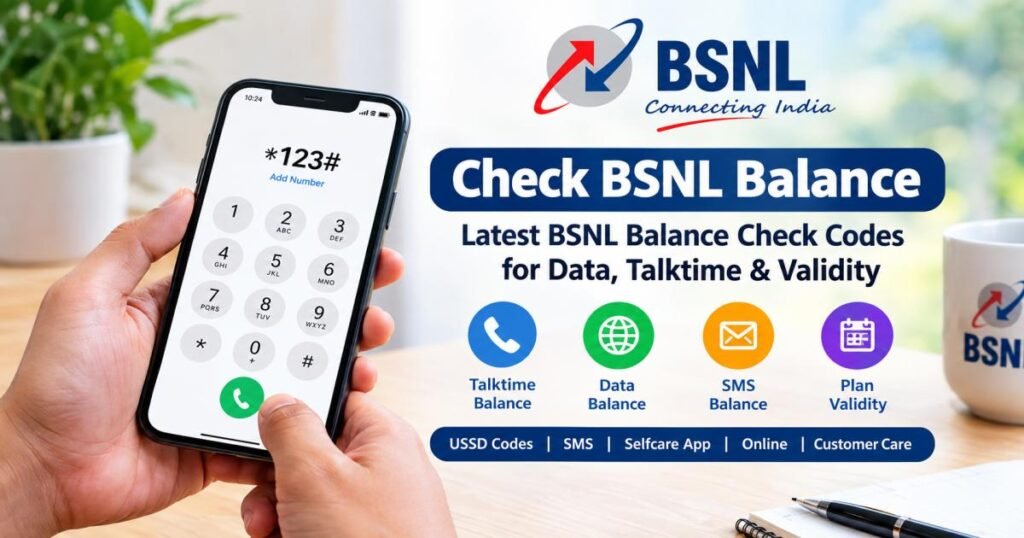
To check BSNL balance, dial *123# from your BSNL number. This single USSD code shows your main talktime balance and its validity within a few seconds, and it works without mobile data. If you need your data balance, SMS balance, or plan validity instead, BSNL runs a separate code for each one, and every code is listed below.
BSNL serves customers across 20-plus telecom circles in India, and the balance check codes can shift slightly from one circle to the next. A code that responds instantly in Kerala might behave differently in Punjab. That’s the main reason people search for a BSNL balance check number and get confused by mismatched answers online. This guide pulls every working method into one place: USSD, SMS, the Selfcare app, the website, and customer care, so you always have a backup if your usual code stops responding.
Three groups tend to land here. Prepaid users want to know how much talktime is left before a call gets cut. Postpaid users want to track usage between bills. And new BSNL customers just want to know where to start. Each method below works for all three, though USSD stays the fastest option because it needs no internet connection at all.
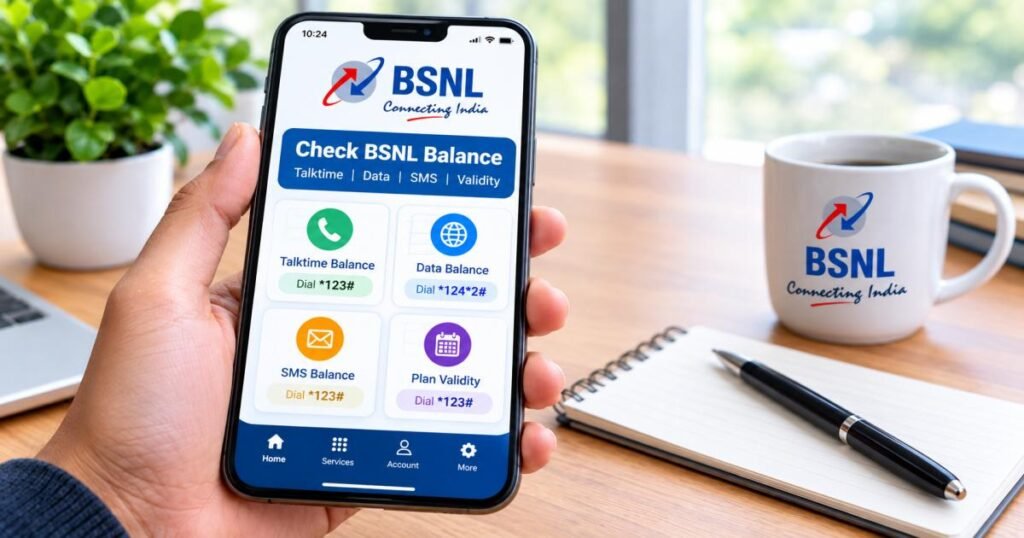
BSNL Balance Check Codes at a Glance
Bookmark this table. Each row covers one piece of account information.
| What You Want to Check | USSD Code |
| Main balance (talktime) | *123# |
| Data balance (4G) | *124# |
| Data balance (2G/3G) | *123*6# or *112# |
| SMS balance | *125# or *123*5# |
| Plan validity | *123*1# |
| Special offers | *121# |
| Customer care (IVR) | 1503 or 1800-180-1503 |
The sections below explain how to use each code, when to use it, and what to try if it doesn’t work on your phone.
How to Check BSNL Balance Using USSD Codes
USSD, short for Unstructured Supplementary Service Data, remains the fastest way to check a BSNL balance. It needs no smartphone, no internet connection, and no app install. Open your phone’s dialer, type the code, and press call. A pop-up with your balance appears within seconds.
This method works on any phone, from a basic keypad model to a current smartphone. That’s what makes it the default choice when you’re already out of data and need to check talktime before an urgent call.
Check BSNL Main/Talktime Balance
Dial *123# and press call. Your BSNL main balance and validity date show up right away. This number matters most for prepaid users, since it tells you how much money remains in the account for calls and any service not covered by a plan.
If you top up occasionally instead of following a fixed monthly cycle, checking this number every few days prevents a call from cutting off mid-conversation.
Check BSNL Data Balance
Mobile data typically runs out faster than expected, especially with video calls and streaming. On average, a single hour of HD video streaming uses close to 1GB, which is why data balance checks matter more than most people assume. To check what’s left:
- Dial *124# for 4G data balance
- Dial *123*6# or *112# for 2G/3G data balance
- Dial *123*5# as an alternate data balance code
Running one of these before entering a low-network area, or before a long trip, avoids a data cutoff at the wrong moment.
Check BSNL SMS Balance
Fewer people send regular texts today, but SMS still carries OTPs, bank alerts, and some official notices. Dial *125# or *123*5# to view the remaining SMS count. If a plan includes a fixed number of free texts per day or month, this code shows exactly how many remain before standard charges kick in.
Check BSNL Plan Validity
Validity is not the same as balance. It’s the date until which the current plan and its benefits stay active, whether or not the data or minutes are used up. Dial *123*1# to see how many days remain.
This detail gets missed often. A user can carry a full data balance and still lose service the same day if the plan itself has expired. Checking validity next to balance gives the complete picture, not half of it.
How to Check BSNL Balance Through SMS
When USSD codes don’t respond, SMS works as a reliable backup. Type BAL and send it to the short code BSNL has assigned for the circle in question, commonly 121, though this can vary by region. A reply text with balance details typically arrives within a minute.
Standard SMS charges apply once the free SMS quota runs out, so this method suits occasional use rather than daily checking.
Check BSNL Balance Using the BSNL Selfcare App
The BSNL Selfcare app replaced the older My BSNL App with a cleaner interface and more features. For anyone who prefers one dashboard over memorizing codes, this app covers the full account in a single screen.
What You Can Check in the App
The Selfcare app goes beyond a simple balance number. Inside, a user can:
- View main balance, data balance, and SMS balance together
- Check plan validity with expiry alerts before a pack runs out
- Review last recharge details and full recharge history
- Manage mobile, landline, and Bharat Fiber (FTTH) connections from one login
- Add family members’ numbers to handle their accounts too
- Pay postpaid or FTTH bills and download invoices
- Get recharge plan suggestions based on usage patterns
It functions as a full account dashboard, which helps anyone running more than one BSNL service under the same login.
Steps to Check Balance in the App
- Download BSNL Selfcare from the Google Play Store or Apple App Store.
- Open the app and enter the registered BSNL mobile number.
- Verify with the OTP sent to that number.
- Go to the dashboard or “My Account” section after logging in.
- Main balance, data balance, and validity appear together on the home screen.
The first login typically takes under two minutes. Every visit after that is faster, since the app remembers the login.
How to Check BSNL Balance Online
BSNL’s Selfcare web portal offers the same information through a browser, which suits anyone on a desktop or laptop.
Visit the official BSNL Selfcare portal, select the state or circle from the list (BSNL organizes its network by region, so this step affects what loads next), and log in using the mobile number and OTP. Balance, plan details, and billing history appear in a layout close to the app, just on a larger screen. Postpaid users tend to prefer this route, since reviewing a full bill is easier on a full-sized screen than a phone.
Check BSNL Balance Through Customer Care or IVR
Some situations call for a voice system rather than an app. BSNL’s toll-free numbers handle this directly.
Dial 1503 or 1800-180-1503 from a BSNL number. This connects to an Interactive Voice Response (IVR) system that reads out balance, data usage, and talk time after a few voice prompts. The call is free, and it works without a smartphone or internet connection.
This route suits elderly users, or anyone who finds USSD codes fiddly to type.
How to Check BSNL Data Balance Without Internet
This sounds like a contradiction, but it’s the exact situation most people run into: data has run out, and the only way to check the remaining amount is a method that doesn’t need data in the first place.
USSD and SMS codes solve this because they run on the telecom signaling network, not on mobile data. Dialing *124# or *123*6# works the same whether data sits at full, empty, or expired. This is the clearest advantage USSD holds over app-based checking, and it’s worth remembering the next time data disappears mid-scroll.
BSNL Balance Check Codes for Feature Phones vs Smartphones
Not every BSNL user carries a smartphone, and BSNL hasn’t left feature-phone users without options.
Feature phones depend almost entirely on USSD codes and SMS, since apps and mobile browsers usually aren’t available. On a basic keypad phone, *123#, *124#, and *125# work exactly as described above, with no extra setup.
Smartphone users get the added option of the Selfcare app and web portal, both of which show more detail, like usage graphs and billing history, in a cleaner layout. Even so, many smartphone users still reach for USSD first, since it delivers a one-second balance check without opening an app or waiting for it to load.
Either way, every BSNL user has at least one working method available.
What Is the Difference Between BSNL Balance, Data Balance and Validity?
These three terms get confused often, so here’s a direct answer to each:
- Main balance (talktime) is the money in a prepaid account, used for calls, SMS, or anything not covered by an active plan.
- Data balance is the internet quota left in the current recharge or plan, measured in MB or GB.
- Validity is the number of days the current plan stays active, regardless of how much balance or data remains unused.
A simple way to separate them: balance and data answer “how much,” while validity answers “how long.” A user can carry full data and zero validity days, in which case service stops until the next recharge. Checking all three together, rather than one at a time, gives a realistic sense of when a recharge is actually due.
BSNL Balance Check Codes Not Working? Try These Fixes
USSD codes are dependable most of the time, but not immune to occasional failures. If *123# or another code doesn’t respond, work through these steps in order:
- Restart the phone. This clears minor network glitches that sometimes block USSD requests.
- Check the SIM slot. On a dual-SIM phone, confirm the code is dialed from the correct BSNL SIM.
- Confirm SIM activation. A newly issued or long-unused SIM sometimes needs reactivation before USSD services work.
- Try an alternate code. BSNL often runs more than one code for the same purpose, like *124# and *123*6# for data, so a backup code may succeed where the first one failed.
- Switch to the app or SMS method. If USSD keeps failing, the BSNL Selfcare app or the “BAL” SMS method typically still works.
- Call customer care. Dialing 1503 connects directly to BSNL, and the team can confirm whether there’s a temporary outage in that circle.
Most failures clear up with nothing more than a restart or a different code from the table above.
How Often Should You Check Your BSNL Balance?
There’s no fixed rule, but a light routine prevents most surprises. Checking once every few days works for typical users, while heavy data users or anyone on a tight prepaid budget may want a daily glance.
Checking also matters right before anything important: a long trip, an international call, or the final days before a plan’s validity ends. That habit helps you avoid an “insufficient balance” message at the worst possible time.
Important Tips to Avoid BSNL Balance and Validity Issues
A few small habits prevent repeated recharge problems:
- Track the validity date, not just the data level. A plan with unused data can still expire on schedule.
- Turn on the Selfcare app’s expiry alerts so a notification arrives automatically instead of relying on memory.
- Keep a small backup balance for situations like an urgent call after the main plan has lapsed.
- Recharge a day or two early before travel to areas with limited recharge outlets or unreliable internet.
- Cross-check the app against USSD occasionally. If the two ever disagree, a quick customer care call settles which figure is accurate.
None of these take more than a minute, and together they prevent most of the common frustrations BSNL users report.
Final Takeaway
Checking a BSNL balance shouldn’t involve guesswork or scrolling through old messages for the right code. For a quick BSNL balance check, *123# covers talktime and *124# covers data, both in seconds and without touching mobile data. For a fuller picture, recharge history, billing details, and usage patterns, the BSNL Selfcare app or web portal fills in what USSD can’t show.
Every method here- USSD, SMS, app, website, or a call to customer care- solves the same problem from a different angle. Pick whichever fits the moment, and staying on top of a BSNL account stops being a guessing game, whether the connection is active in a major city or a small town anywhere in India.
FAQs
What is the BSNL balance check code?
The main BSNL balance check code is *123#. Dial it from a BSNL number to see talktime balance and validity within seconds.
How can I check my BSNL data balance?
Dial *124# for 4G data balance, or *123*6# / *112# for 2G/3G data balance. Data usage also appears inside the BSNL Selfcare app.
How can I check BSNL talktime balance?
Dial *123# from a BSNL number. Remaining talktime and its validity appear on screen within seconds.
How do I check BSNL SMS balance?
Dial *125# or *123*5# to see the remaining SMS count in the current plan or balance.
How can I check BSNL validity?
Dial *123*1# to see how many days remain before the current plan expires. This is separate from data or talktime amounts.
Can I check BSNL balance without internet?
Yes. USSD codes like *123# and *124#, along with the “BAL” SMS method, work without an internet connection since they run on the telecom signaling network rather than mobile data.
Can I check BSNL balance online?
Yes. Log in to the BSNL Selfcare web portal with a mobile number and OTP to view balance, validity, and billing details from a browser.
Can I check BSNL balance from a feature phone?
Yes. USSD codes and SMS both work on basic feature phones. Neither method needs a smartphone or internet access.